 Expense IQ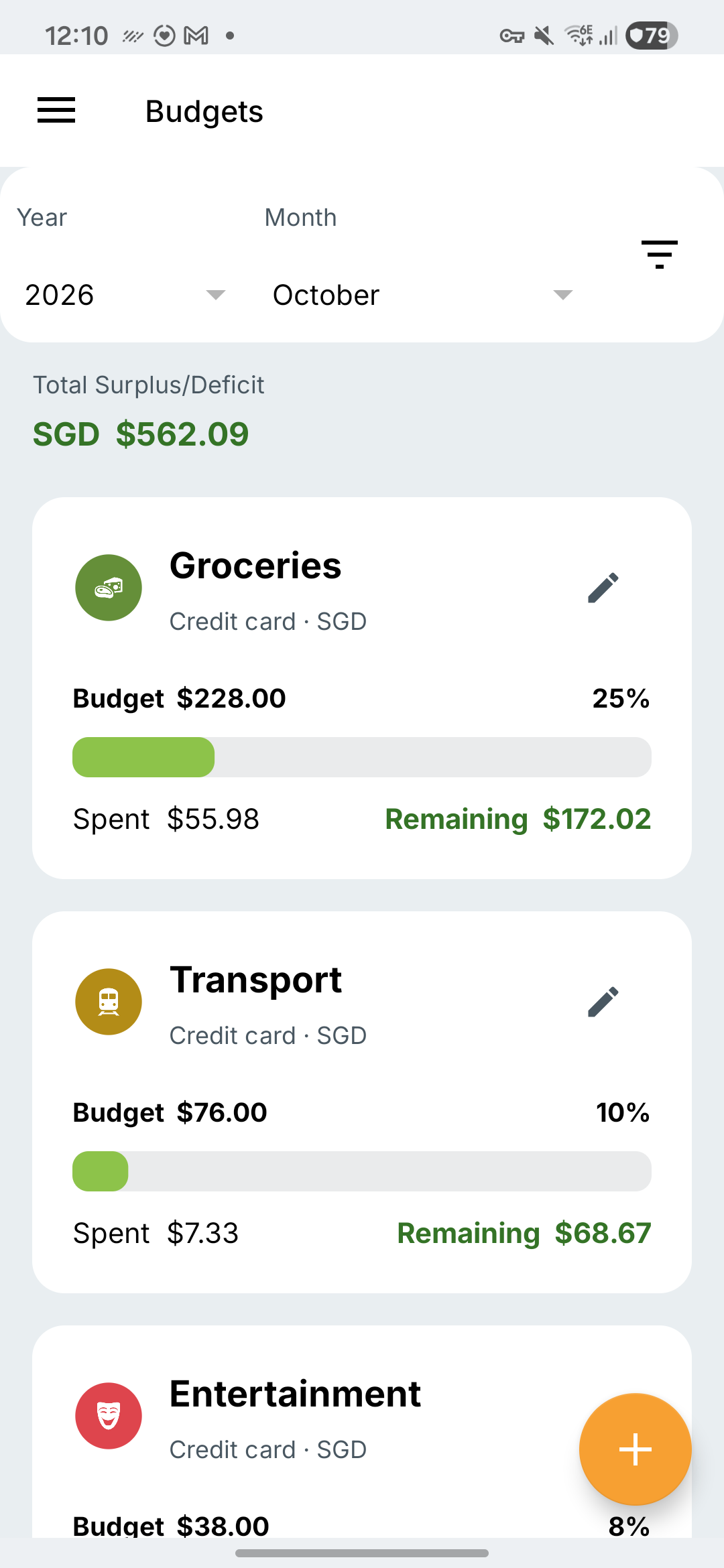
Choose which spending to include
Decide whether you want to track groceries on one card or groceries across the relevant accounts. If the budget includes only your credit card, it will not include purchases paid in cash.
Check the currency shown for the budget. Compare amounts in that currency; do not add, for example, US dollars and euros as if they were the same.
Create the budget
- Open Budgets and tap the add button.
- Enter the Monthly Budget Amount.
- Choose the category and the account or available account group in the correct currency.
- Save, then select the year and month to review.
Check it against an entry
Find a purchase you expect to count. Check its category, account, date and status. Then return to the budget for that month. This simple check is useful before you rely on a new budget.
If an expense is missing, check the selected accounts, category and month before changing your limit. If you need to change the plan, use the budget’s edit control and review the result after saving.